Usage (USB Camera Mode)

Introduction
This guide will guide you through using the HIAS TassAI Facial Recognition Agent USB Camera Mode. Make sure that you have your NCS/NCS2 and USB camera plugged in before you continue with this guide.
Start the Agent
Now you are ready to fire up your HIAS TassAI Facial Recognition Agent, to do so use the following command:
sudo systemctl start HIAS-TassAI-Facial-Recognition-Agent.service
The Agent will now sit listening for all data coming from the HIAS network using the AMQP protocol. Once it receives data it verifies authorization via HIASBCH and sends the data to HIASCDI & HIASHDI.
Manage the Agent
To manage the agent you can use the following commands:
sudo systemctl restart HIAS-TassAI-Facial-Recognition-Agent.service
sudo systemctl stop HIAS-TassAI-Facial-Recognition-Agent.service
View the local stream
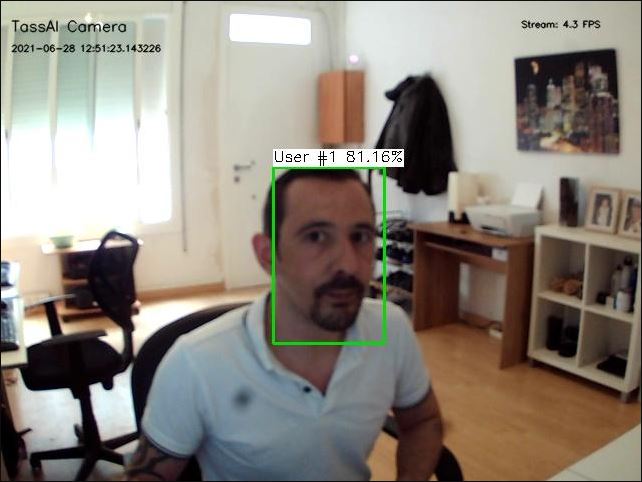
With your HIAS TassAI Facial Recognition Agent now online, you can view the local stream by visiting:
http://YourIP:YourPort?stream.mjpg
View stream in HIAS Viewer
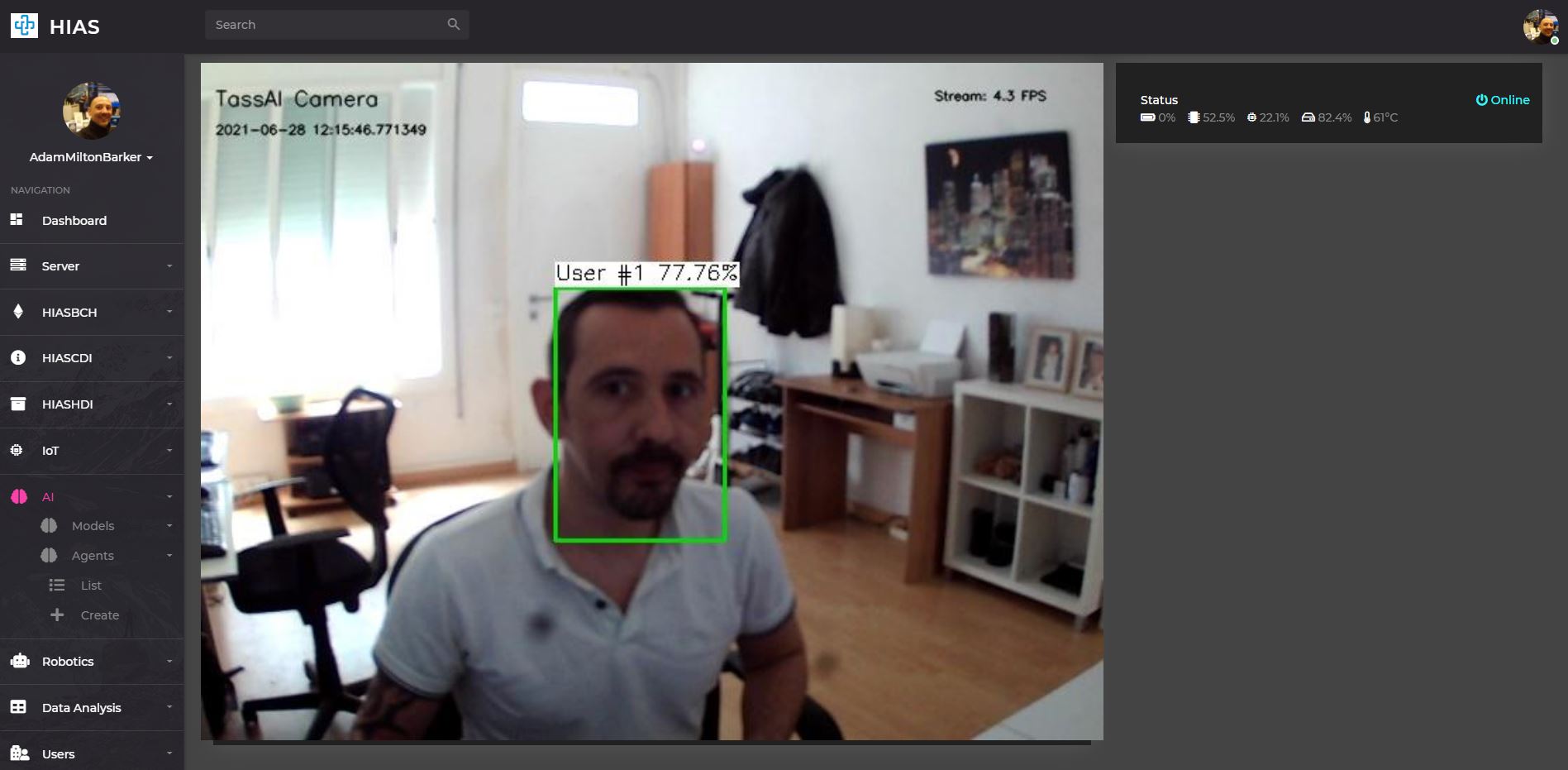
Now you have seen your local stream is working, you can now view your stream from within the HIAS UI with HIAS Viewer. To do so, login to the HIAS UI and navigate to AI->Agents->List and click on the Viewer button for the relevant Agent.
Contributing
Asociación de Investigacion en Inteligencia Artificial Para la Leucemia Peter Moss encourages and welcomes code contributions, bug fixes and enhancements from the Github community.
Please read the CONTRIBUTING document for a full guide to forking our repositories and submitting your pull requests. You will also find information about our code of conduct on this page.
Contributors
- Adam Milton-Barker - Asociación de Investigacion en Inteligencia Artificial Para la Leucemia Peter Moss President/Founder & Lead Developer, Sabadell, Spain
Versioning
We use SemVer for versioning.
License
This project is licensed under the MIT License - see the LICENSE file for details.
Bugs/Issues
We use the repo issues to track bugs and general requests related to using this project. See CONTRIBUTING for more info on how to submit bugs, feature requests and proposals.